How to Use AWS Free Tier to Prepare for Certification Exams
AWS (Amazon Web Services) offers a powerful free tier that can be a game-changer when preparing for certification exams like the AWS Certified Solutions...
By ExamCoachAI
3 min read
On this page (4)
AWS (Amazon Web Services) offers a powerful free tier that can be a game-changer when preparing for certification exams like the AWS Certified Solutions Architect, Developer, or SysOps Administrator. By leveraging the AWS Free Tier, you can gain hands-on experience with the platform, understand its services, and practice real-world scenarios without incurring any costs. Here’s how to make the most of the AWS Free Tier for your exam preparation.
Step 1: Sign Up for AWS Free Tier#
Before you can start using the AWS Free Tier, you'll need to sign up for an AWS account. Here's how:
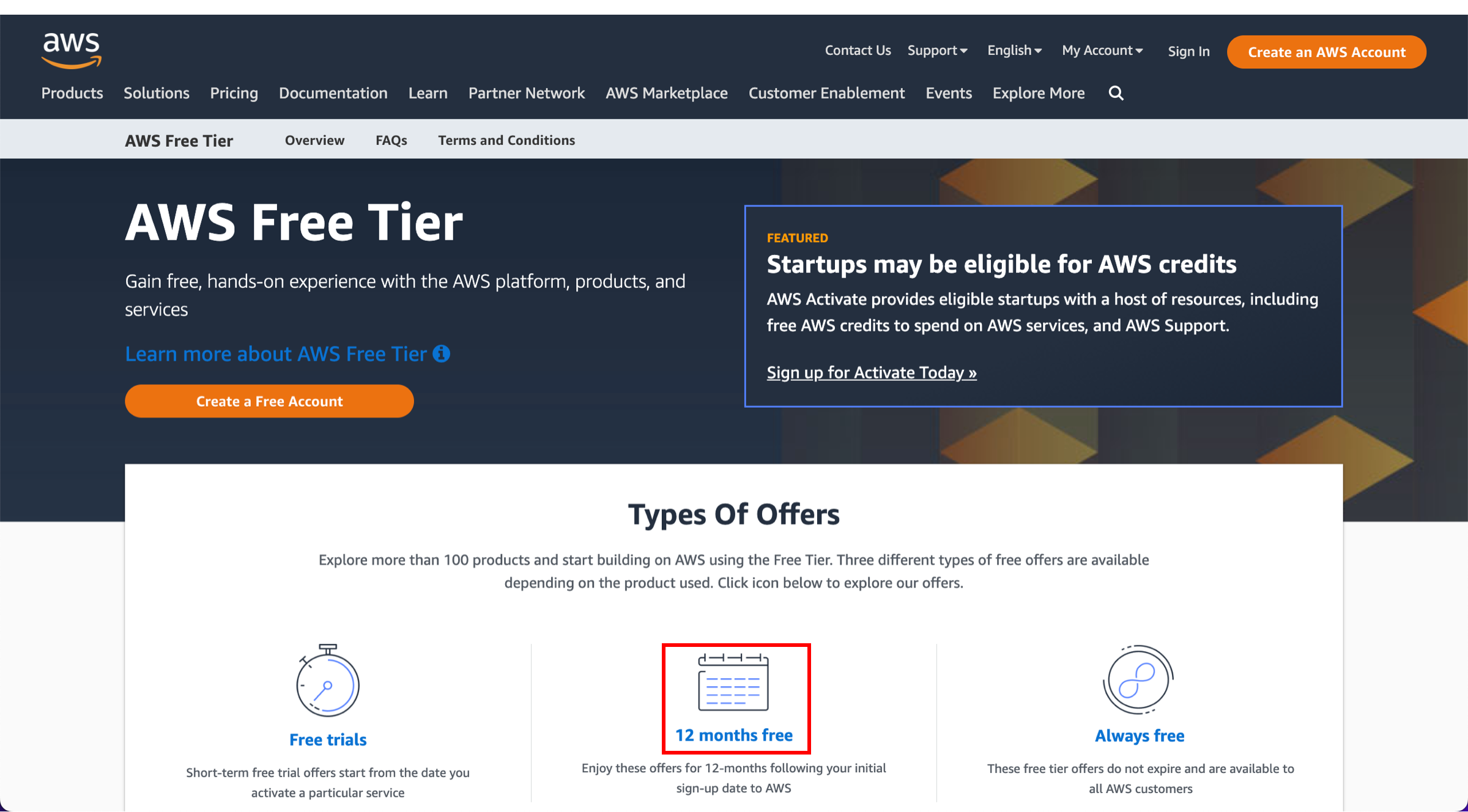
Visit the AWS Free Tier Page: Go to the AWS Free Tier page and click on "Create a Free Account."
Complete the Registration: Provide your details, including payment information (you won't be charged for services under the free tier limits).
Confirm Your Identity: AWS may ask for a phone number to send a verification code.
Choose Your Support Plan: Select the basic support plan, which is free.
Step 2: Understand AWS Free Tier Limits#
The AWS Free Tier offers a variety of services free for 12 months, with limits. For example:
- EC2 (Elastic Compute Cloud): 750 hours of Linux or Windows t2.micro instances per month.
- S3 (Simple Storage Service): 5GB of standard storage.
- RDS (Relational Database Service): 750 hours of db.t2.micro instances per month.
- Lambda: 1 million requests per month.
Review the Free Tier limits to plan your practice sessions effectively.
Step 3: Set Up a Learning Environment#
To maximize your practice:
Launch an EC2 Instance: Use the AWS Management Console to launch an EC2 instance. Choose a t2.micro instance, which is free under the AWS Free Tier. This will allow you to practice deploying applications, managing instances, and setting up networking configurations.
Create an S3 Bucket: Create an S3 bucket and practice uploading, managing, and securing objects. Understanding S3’s storage classes, lifecycle policies, and permissions is crucial for the AWS exams.
Experiment with Lambda: Set up AWS Lambda functions to practice serverless computing. Create simple functions to understand how to trigger events using services like S3, DynamoDB, or API Gateway.
Set Up a Database with RDS: Use Amazon RDS to create a database instance. Practice setting up a MySQL or PostgreSQL database, and learn how to connect to it from an EC2 instance.
Step 4: Leverage AWS Documentation and Tutorials#
AWS provides extensive documentation and tutorials that can guide you through the usage of their services. Here’s how to use them:
Follow the AWS Tutorials: AWS offers step-by-step tutorials on how to use their services. Follow these to build foundational knowledge.
Use the AWS Certification Guide: AWS provides specific study guides and sample questions for each certification exam. Make sure to review the AWS Certification page for resources.
Join the AWS Community: Engage with the AWS community through forums, blogs, and social media. You can learn a lot from other people’s experiences and tips for the exam.
Step 5: Monitor Your Usage#
While the AWS Free Tier offers a generous allowance, it’s important to monitor your usage to avoid unexpected charges. Here’s how:
Set Billing Alerts: Set up billing alerts through the AWS Billing Dashboard to get notified if you exceed your free tier limits.
Use AWS Budgets: Create an AWS Budget to keep track of your expenses and ensure you stay within the free tier.
Review Usage Regularly: Regularly check your AWS usage reports to understand how much of your free tier allotment you've used.
Free practice on your certification, scored instantly. No card required.
How Foreign-Trained Doctors Can Get Licensed to Practice Medicine in the U.S.
How YouTube Can Help You Prepare for Certifications

AWS Cloud Practitioner vs Azure Fundamentals: Which Cloud Cert First in 2026?
AWS Cloud Practitioner or Azure Fundamentals as your first cloud cert? A beginner-friendly comparison of cost, difficulty, expiry, job markets, and what to take next.

AWS SAA-C03 Domain 1: Design Secure Architectures (30% of the Exam)
Domain 1 is 30% of SAA-C03, the largest single domain on the exam. A focused breakdown of what AWS actually tests, the question patterns that trip people up, and what to skip.

AWS AI Practitioner vs NVIDIA NCA-GENL: Which AI Cert Should You Take First?
AWS AI Practitioner and NVIDIA NCA-GENL are the two most defensible foundational AI certs in 2026. A side-by-side on what each tests and which to take first.